
Payment Link
How to create Payment Link?
You can make a Payment Link through the Back Office, along with the steps.
- Access and log in to your account in the Back Office
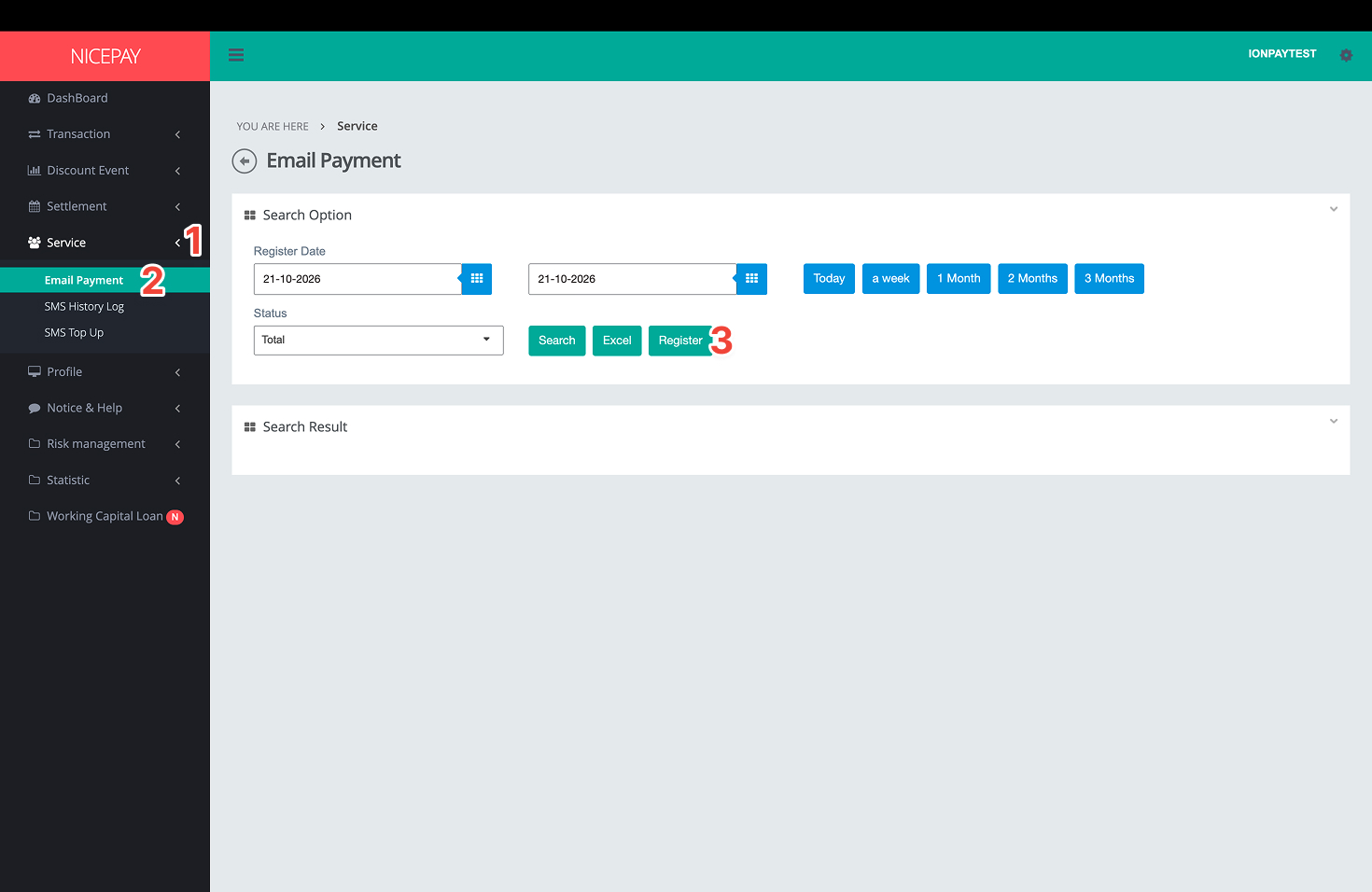
1. Go to the Service menu.
2. Then select the Email Payment sub menu.
3. Click the Register button on the Search Option section.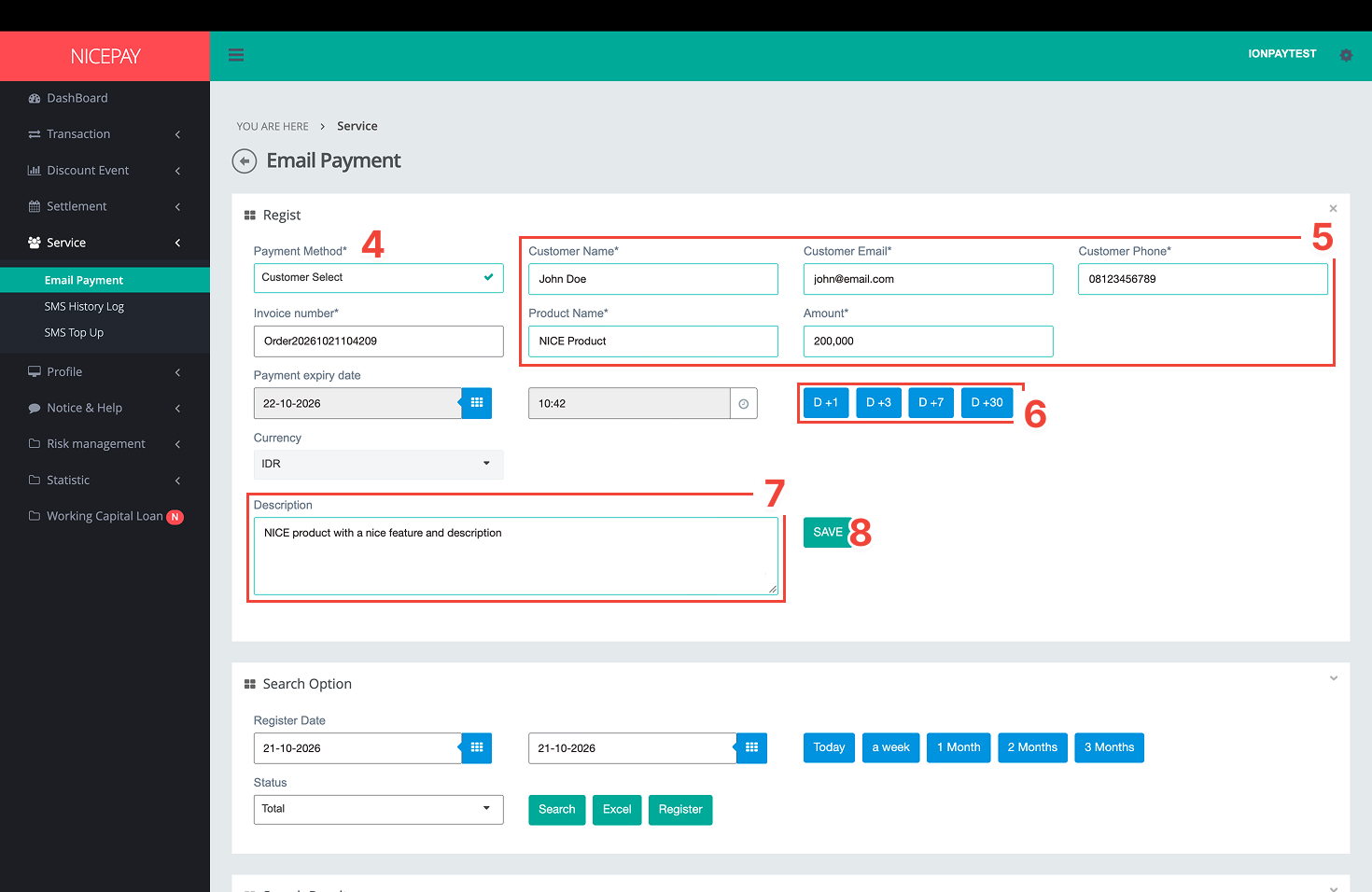
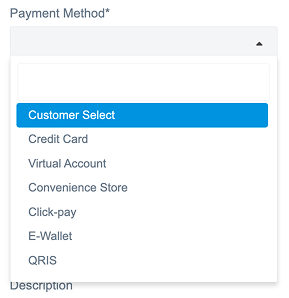
4. Select the Payment Method you need from the dropdown below.
5. Enter all your customer data and product information.
6. Select the validity duration for the link. (optional)
7. Add an additional description for your product. (optional)
8. Once all fields have been filled in, click the Save button.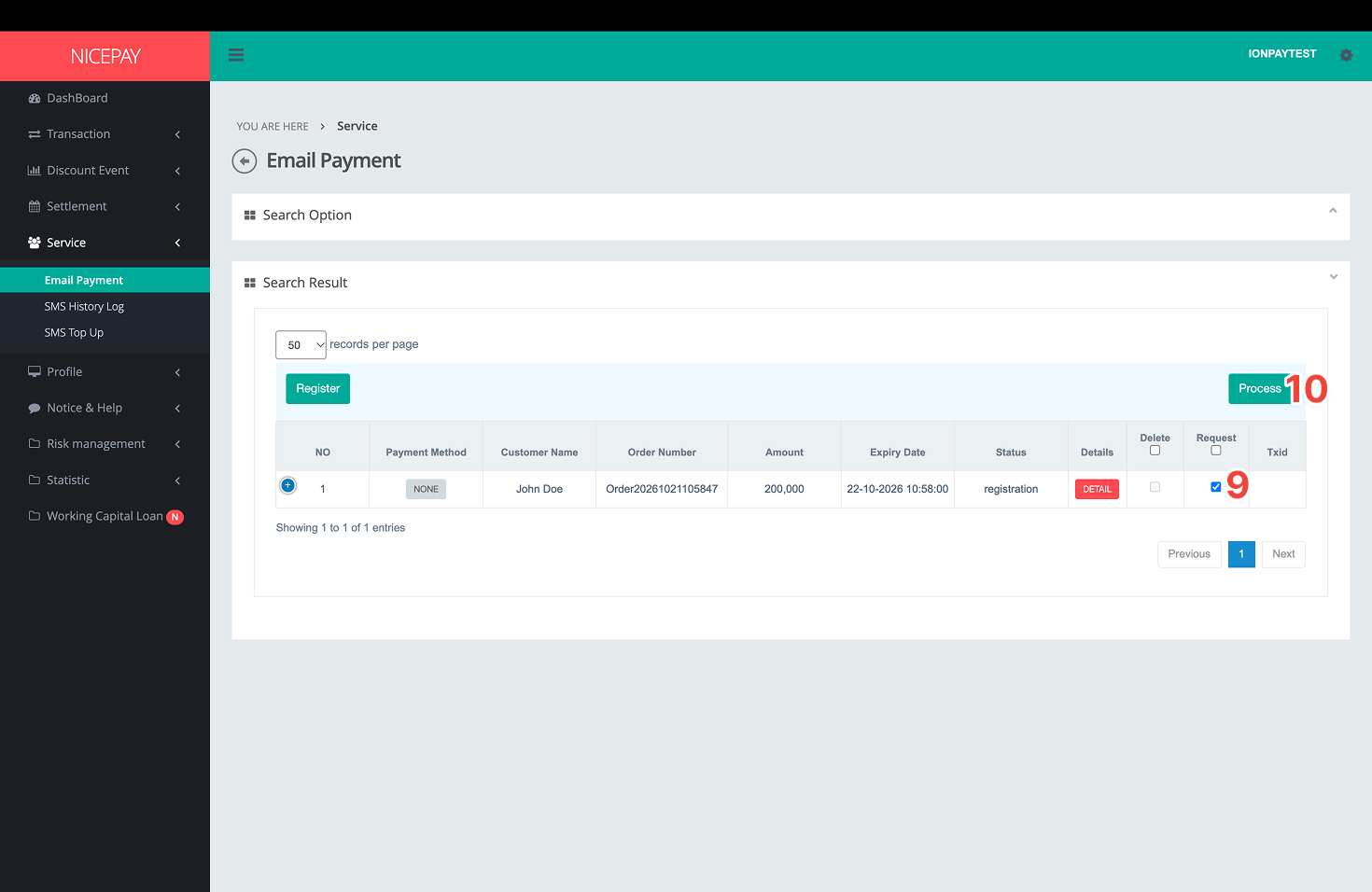
9. Once successfully saved, the data you entered will be displayed in the Search Result table. Check the Request section.
10. Click the Process button.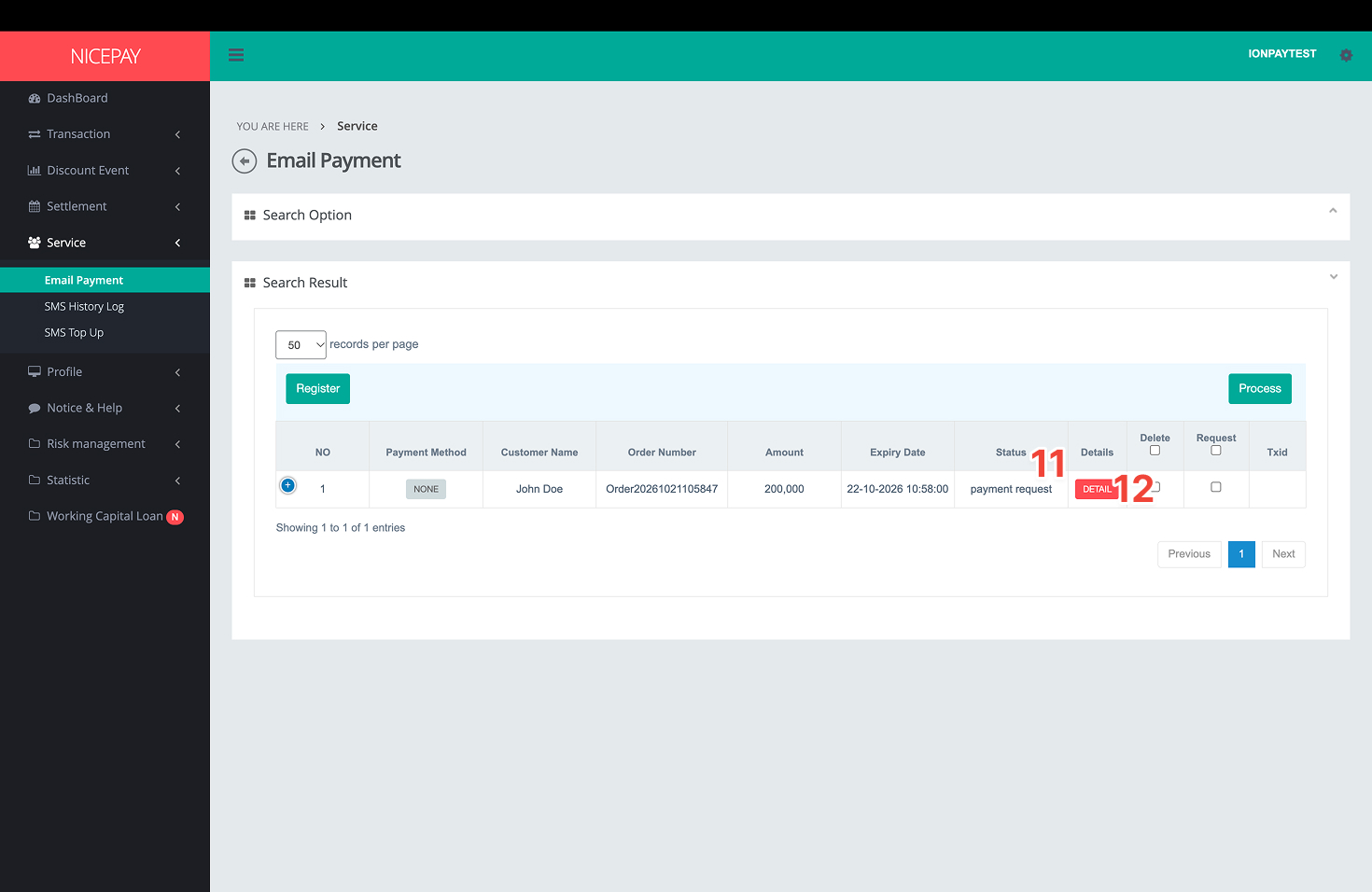
11. Once the process has been completed, the registration status will change to payment request.
12. Click the Detail button to get the link to use.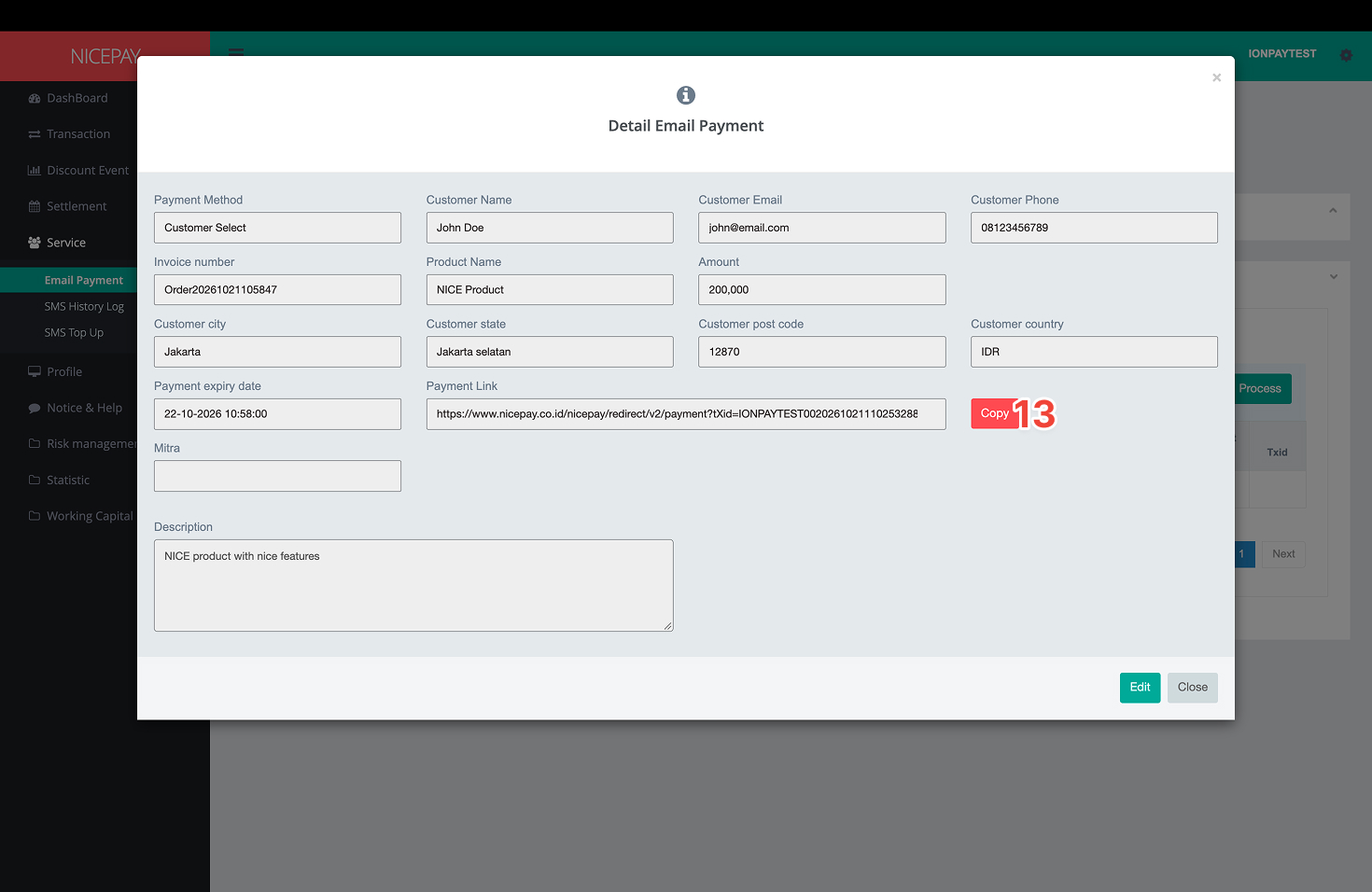 13. After the Email Payment Details window appears, click the Copy button to share the link via social media, email, or WhatsApp.